

Today, WordPress stands as the world’s most widely used tool for building websites. At its heart, it’s just a content management system (CMS), a platform where you can create, organize, and share your content without needing to know a single line of code.
Whether it’s a personal blog, an online store, or a company site, WordPress gives you the features to bring it to life. What makes it approachable is how simple it feels once you step inside. You can add pages, publish posts, and even change the way your site looks, all from one dashboard.
Still, what many people don’t realize is that WordPress holds more than what’s on the surface. It has small, almost hidden features that quietly make things easier, saving time, cutting effort, and adding polish.
This isn’t about learning everything at once. It’s about noticing the little things WordPress can do for you, things that might change the way you work with your site.
In the next few minutes, we’ll explore some of these overlooked features, one by one.
WordPress Features Beginners Don’t Usually Explore
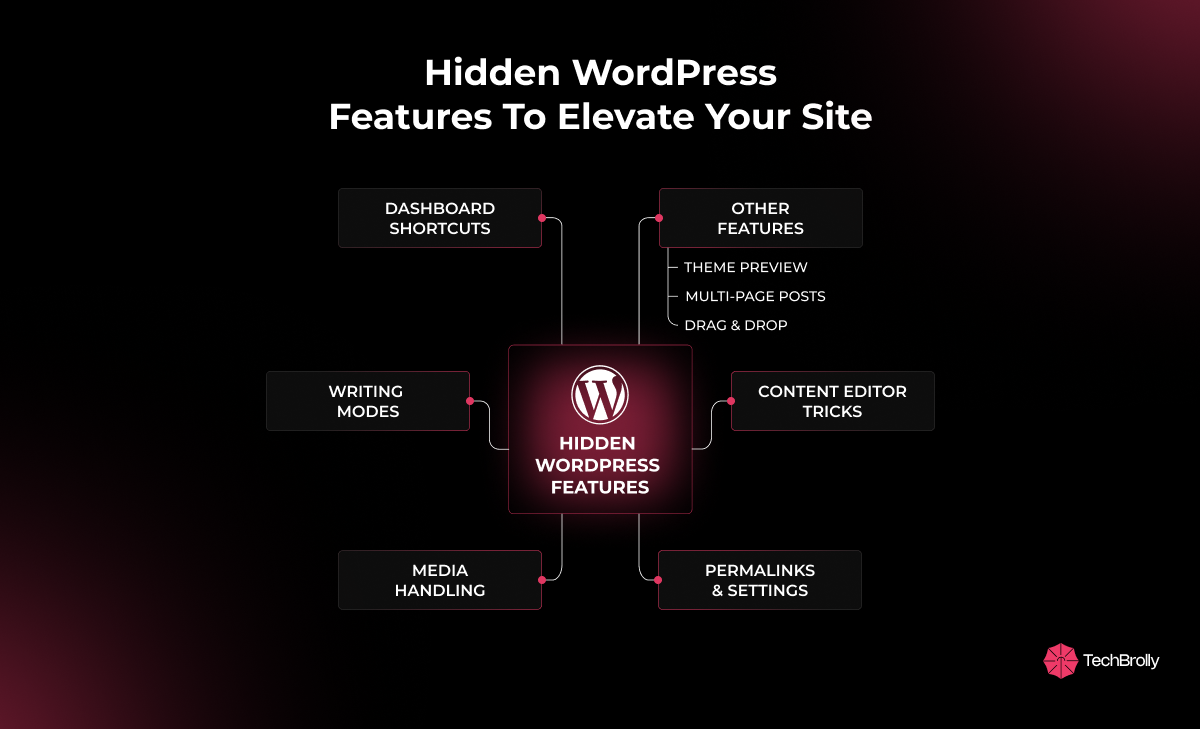
As a beginner, when you are working on WordPress, chances are you are only familiar with basic features. It means you’ve explored the features only on the surface level, and the features that can save your valuable time and effort are yet to be discovered.
And if you want to enhance your website’s functionality and make your life easier, here are some of the hidden features of WordPress that go beyond the basics:
1. Dashboard & Admin Shortcuts
The first thing you see after logging into WordPress is the dashboard. Most people never realize how much power sits right here. What you choose to see can shape how simple your work feels.
To enhance your WordPress experience, start by exploring the Screen Options. You can see it in the top-right corner of your dashboard. It will help you quickly declutter your view by hiding the blocks you don’t need. And you’ll notice your dashboard feels lighter and cleaner.
Another option is Quick Edit, which allows you to adjust titles, categories, or tags directly from the list view, without needing to click through each post individually. It will save you time and keep you in a flow.
And updating several posts at once can be time-consuming, but Bulk Actions make it simple.
These quiet little shortcuts aren’t flashy, but they help you focus on what really matters: your ideas, your voice. And if you’d like a thoughtful partner to make your site run even smoother, you can count on TechBrolly for support.
2. Content Editor Tricks
Content editing tricks can save a huge amount of time and effort. With tools like the Gutenberg editor, which most beginners miss out on, you can simplify the writing process and maintain a steady flow.
For example, Slash (/) Commands are helpful when you are searching through menus. You can simply type / and it will instantly pull in the blocks, images, quotes, lists, or anything else you need.
Another way to keep your content editing simple is to use keyboard shortcuts. You can use “Ctrl + B” for bold, type “# + space” for a heading (H1, H2, H3,…), or type “>” to start a blockquote. These shortcuts will not interrupt or break your writing rhythm.
And these WordPress tips for beginners aren’t complicated, but they can save you minutes every time you create content.
3. Writing & Editing Modes
Sometimes, you just need to focus on what you are writing, without any distractions or any chaos. And WordPress helps with that using simple built-in features like these:
- Distraction-Free Mode
Distraction-free mode provides you with an empty page, free from menus and other elements that can divert your attention. You don’t have to worry about the sidebars, which can break the flow, allowing the space for your thoughts to breathe.
- Revisions
It is not always easy to retrieve a draft that we thought had been lost. However, WordPress saves every version of your work, allowing you to review your previous work and recover what is required. It’s like a safety net for your thoughts and ideas, that keeps them safe.
Every tool here is made to give you a little more ease and trust in your process. So you can write freely, knowing WordPress will hold the rest.
4. Media & Image Handling
As a beginner, you might believe that adding images is just about uploading them. But with the hidden WordPress features, you can always do more. It offers you simple yet powerful tools to handle the visuals without needing an extra tool.
You can easily crop, rotate, or resize your images from your media library with the help of the Image Editor. These small adjustments usually require Photoshop or Canva, but you can simply use the WordPress feature to do that.
Drag-and-drop replacement is another excellent feature that allows you to replace an old photo with a new one. All you have to do is drag your new image over the old one, and it will instantly update it, without any complicated steps.
These WordPress features that beginners often overlook make it easy to manage media and keep your website looking polished and professional.
5. Smarter Links & Post Visibility Settings
Smart links and visibility settings in WordPress shape how visitors experience your site and how search engines see it. You can easily create a quick link without extra steps, simply by highlighting the text and dropping in a URL; WordPress will then automatically convert it into a link.
If you want to add custom permalinks to create clean, readable URLs instead of long, confusing ones, WordPress makes it simple to do. For example, /about is easier for both readers and search engines to understand than /index.php?id=123. This small change makes your content look more professional and improves how search engines rank it.
Sticky Posts are another great WordPress feature that helps you keep important content at the top of your blog, ensuring readers see it first.
These small and useful features in WordPress keep your site from feeling scattered.
6. Other Underutilized Features of WordPress
Some of the hidden features that are not easy to notice, but make your life easier, especially when you are new to WordPress, are mentioned below:
- Theme Preview Without Activation: Normally, when you change a theme on a live website, it can be risky because it may break the design for visitors. But, with the preview option, you can safely test how a new theme looks and works in private before making it live.
- Multi-Page Posts: Very long articles can feel overwhelming, and readers may leave halfway. However, you can split them into smaller pages with Multi-Page Posts. It will make the content feel lighter, easier to read, and keep people interested for longer.
- Accessibility Mode for Widgets: Not everyone finds drag-and-drop easy to use. Accessibility mode replaces it with a simple list where you can add and arrange widgets step by step, making the process calmer and more user-friendly.
These underutilized WordPress features may be subtle, yet they play a key role in building a stable, user-friendly site.
Why WordPress Hidden Features Matter & How They Can Help
Most of these hidden WordPress features are often overlooked, but they are very helpful and save you time and energy. They’re not just time-saving tricks. They are the tools that make managing a website less of a burden and more of a system you can actually trust.
Here’s what makes these WordPress features more valuable:
- Time-saving: With Quick Edit, Bulk Actions, and similar tools, you can save time wasted on small tasks. And more importantly, you don’t have to waste hours in repetition.
- Content control: Features like Revisions and Sticky Posts are helpful when it comes to controlling your content on WordPress. They help you shape what readers see and what remains hidden.
- Visitor experience: WordPress features like clean permalinks make it easier for people to move around your site. This creates a smooth and reliable browsing experience.
- Polish without effort: You don’t have to rely on extra plugins to polish your website without putting in too much effort. The built-in media editing keeps your site lighter and sharper.
- Less noise, more freedom: Theme Preview or Distraction-Free Mode lets you test, build, and write without fear of breaking something important.
These aren’t tricks. They are anchors, simple, practical features that give WordPress its real strength.
Conclusion
Behind WordPress’s simple look are features that make your work much easier. From setting up clean links to adjusting visibility settings, even the smallest details can shape how your website feels to visitors.
These features quietly improve both the browsing experience and how search engines see your site. And you don’t need to be a developer to use them. WordPress gives you built-in tools that let you customize menus, manage layouts, optimize images, and organize content with just a few clicks.
And if you’d like to skip the trial and error, TechBrolly can help you build a site that runs smoothly in the background while giving your business steady, reliable support.
FAQs
What hidden features does WordPress have that most beginners miss?
WordPress offers powerful features like permalink settings, custom menus, media management, reusable blocks, and post scheduling. Many beginners miss these, yet they can significantly improve site navigation, content organization, and overall user experience.
Do I need coding skills to use WordPress features effectively?
No, coding skills are not required. WordPress is designed to be user-friendly, letting you customize menus, manage layouts, optimize images, and use blocks directly from the dashboard, making website management simple even for beginners.
How do WordPress's hidden features help improve my website?
Hidden WordPress features enhance navigation, performance, and structure. They also improve SEO, make content easier to manage, and save time. Leveraging these tools ensures your website looks professional and delivers a smoother user experience.
Can WordPress features make my site faster?
Yes, features like clean permalinks, caching plugins, and media optimization improve site loading speed. A faster site not only boosts SEO but also provides visitors with a seamless browsing experience, keeping them engaged longer.
Are WordPress's hidden features free to use?
Most hidden features in WordPress are completely free, including permalink settings, block editor options, and post scheduling. However, advanced customization or performance enhancements may require premium plugins or themes depending on your website’s needs.
